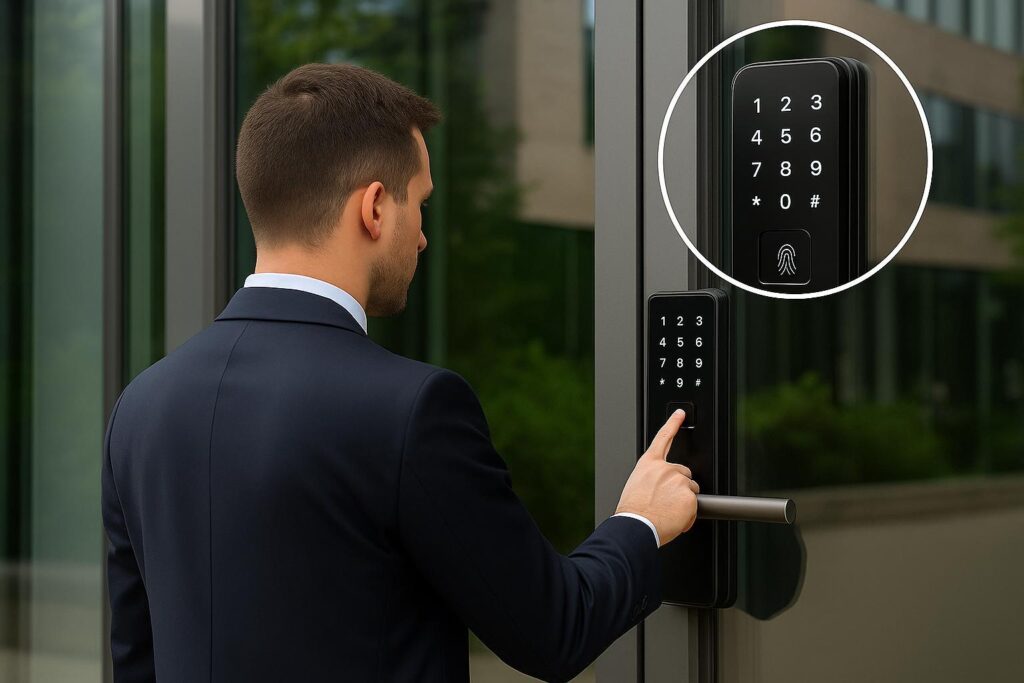
“Access information is valuable only when the privacy behind it is protected.”
Knowing who enters your property can be useful, but understanding who gets to see that information is equally important. Modern smart locks can offer activity records that show selected locking events, access attempts, and user activity, depending on the model. While these features help homeowners and property managers manage entry, they also involve personal information that needs to be handled carefully. Access records should provide useful visibility without unnecessarily exposing household routines or visitor details. For those exploring Smart Locks in Ras Al Khaimah, understanding the relationship between access monitoring and digital privacy can help in choosing a suitable locking system that balances convenience, information control, and security.
Smart locks can provide more than just access to the door. They can record activity and monitor successful unlocking, failed attempts to unlock, changes to the unlocking status, and other events that you select, depending on which model you are using. These records can inform property owners of the usage of their entrances during the day. The amount of information collected and the time period over which it will be available, however, may vary from product to product. Once you know what your device is recording, you will be able to better understand what data is being collected and the reasons behind its need to be managed appropriately.
You are not obliged to provide permission for anyone in the house or business to see the access logs. The ability to access lock records freely could lead to personal habits, visitor records and information regarding arrival and departure times. Clear permissions for access allow owners to ensure that only certain individuals have access to and can change the setting of the lock. This is especially relevant in shared housing, rental properties and at work where multiple individuals may share an entrance.
Various forms of personal information might be used in smart lock applications, such as user profiles, credentials, contacts, and activity history. The stored or synced information on some connected systems may also be used in cloud services. These may make access management easier for a user, but users should be aware of what data is gathered and how it’s used. Knowing what permissions to grant, and what to expect in terms of privacy policy, prior to the activation process can help property owners make informed choices.
Access may become more complex if multiple persons are sharing the same entry point. Each family member, employee, visitor and property manager may have various permissions as necessary for the job. Smart locks with each user profile can aid in separating access arrangements and decrease the need to share one fixed PIN amongst all users. User management makes updating access permissions easier, too, when people move on, adjust to their roles or no longer need access.
Temporary visitors or guests may require access to a property, but not use the locking system as permanent users. Some smart locks feature temporary PINs or time-limited permissions that enable property owners to control access to their premises without providing their permanent key credentials. This can be helpful for rental properties, maintenance inspection and multi-person properties. Guest access records are also a sensitive item, though, as they can include information on visitors and when they are entering.
Knowing how to secure a well-designed smart lock can be compromised by poor security of the account linked to it. Weak passwords, shared logins and unsecured administrator accounts may reveal access settings and information about activity that has been stored. Some smart locks enable homeowners to control access from a cellphone app, so securing the account is crucial to the privacy of the lock. Just like other critical digital services, property owners need to take responsibility for their smart lock accounts.
Use unique passwords: Use passwords that are not easily guessed and not combinations of standard words or personal information.
It is not always necessary to keep access records available forever. Smart lock manufacturers can have various data storage and retention plans based on the application, device setup, and the use of cloud service. These arrangements can aid users in their understanding of the length of time that entry information is available and whether there is an unnecessary record that should be removed. This is especially important for property managers who manage information for multiple residents, employees or visitors.
A smart lock should provide more than convenient entry; it should also give property owners confidence in how access information is collected, viewed, and managed. Understanding activity records, controlling user permissions, protecting application accounts, and reviewing data storage arrangements can help reduce unnecessary privacy exposure. When comparing Smart Locks in Ras Al Khaimah, consider not only the unlocking methods and connected features but also the privacy controls and data management options available with each model. Choosing a system that balances access visibility with personal information protection can make smart door management more practical for homes, rental properties, and commercial spaces.
Depending on the model, access history may include successful unlocking events, failed PIN attempts, locking activity, and the credentials used for particular entry events.
Some smart locks allow administrators to manage which users can access activity information. The available permissions depend on the device and its application settings.
Use strong account passwords, enable multi-factor authentication where available, restrict administrator permissions, and regularly review authorised users.
Some connected smart locks use cloud services to store or synchronise activity records and user information, while others may store certain information locally. Check the manufacturer’s data storage policy before purchasing.
Compare access methods, user permission controls, activity history settings, data storage policies, account security, software support, and available privacy features before selecting a model.